

Hey there! As a supplier of Single Phase DC Multifunction Meters, I've seen my fair share of common problems that users run into. In this blog, I'm gonna share some tips on how to troubleshoot these issues.
1. No Display on the Meter
One of the most common problems is when the meter doesn't show any display. First off, check if the power supply is okay. Make sure the meter is properly connected to the power source. Sometimes, a loose connection can cause this problem. If the power supply is fine, it could be an issue with the internal battery. Some meters have a backup battery, and if it's dead, the display might not work.
If you've checked the power and the battery, and it still doesn't display, there could be a problem with the display itself. Maybe there's a short - circuit or a damaged component. In this case, it's best to contact us for further assistance. We can guide you on whether it can be fixed or if you need a replacement.
2. Inaccurate Readings
Another headache for users is inaccurate readings. This can be due to several reasons. First, check if the meter is calibrated correctly. Over time, meters can lose their calibration, especially if they've been in use for a long time. You can try recalibrating the meter according to the user manual.
Sometimes, external factors can also affect the readings. For example, electromagnetic interference from nearby electrical equipment can mess up the measurements. Try moving the meter away from any potential sources of interference and see if the readings improve.
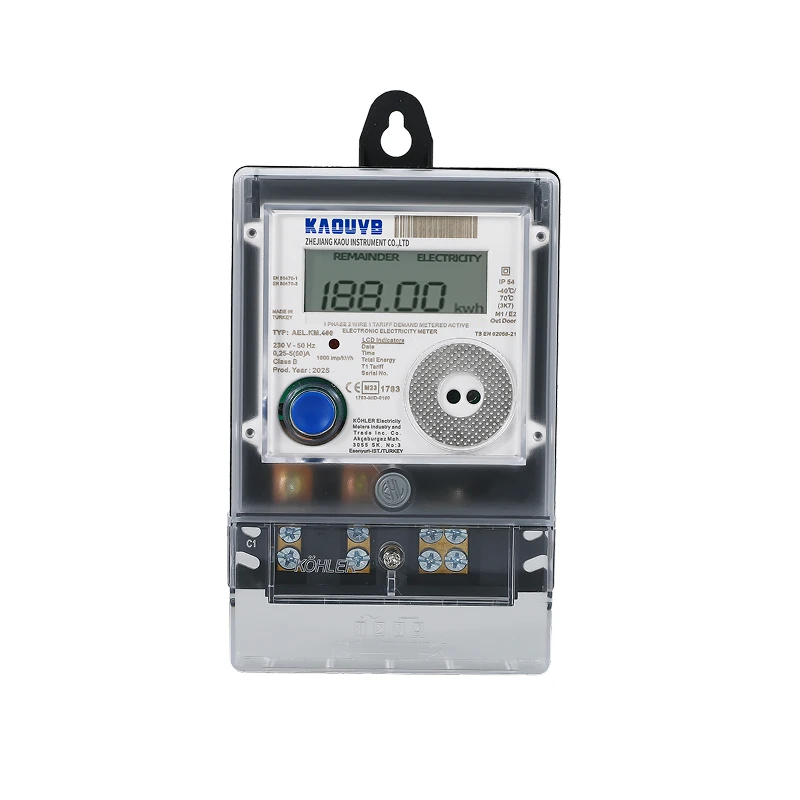

If the problem persists, it could be a problem with the internal sensors of the meter. These sensors are responsible for measuring different electrical parameters like voltage, current, and energy. If they're damaged or malfunctioning, the readings will be off. We can help you diagnose and fix this issue. You can check out our Single Phase Counter Din Rail Meter which is known for its accurate readings.
3. Communication Issues
Many modern Single Phase DC Multifunction Meters come with communication capabilities, like Wi - Fi or Modbus. If you're having trouble communicating with the meter, start by checking the communication settings. Make sure the meter is configured correctly to connect to your network or device.
If it's a Wi - Fi issue, check if the Wi - Fi signal is strong enough. You might need to move the meter closer to the router or use a Wi - Fi extender. Also, make sure the password and other network settings are entered correctly.
For Modbus communication, check the baud rate, parity, and other settings. Incorrect settings can prevent the meter from communicating properly. If you're still having problems, we can provide you with more detailed troubleshooting steps. Our Single Phase Wifi Energy Meter is designed to have reliable communication features.
4. Overheating
Overheating is a serious issue that can damage the meter and affect its performance. If you notice that the meter is getting hot, first check if it's overloaded. Make sure the electrical load connected to the meter is within its rated capacity. If the load is too high, it can cause the meter to overheat.
Also, check the ventilation around the meter. If it's installed in a closed space with poor ventilation, heat can build up. Try to provide better ventilation, like installing the meter in an open area or using a fan to cool it down.
If the overheating problem persists, there could be an internal short - circuit or a problem with the power supply. In this case, stop using the meter immediately and contact us. We'll help you figure out the root cause and fix it.
5. Error Codes
Most Single Phase DC Multifunction Meters display error codes when there's a problem. These codes can give you a clue about what's going wrong. Refer to the user manual to find out what each error code means.
For example, an error code might indicate a problem with the sensor, the power supply, or the communication module. Once you know what the error code means, you can take appropriate action. If you're not sure how to fix the problem based on the error code, don't hesitate to reach out to us. We have a team of experts who can help you interpret the error codes and solve the problem.
6. Battery - related Issues
If your meter has a battery, you might encounter battery - related problems. For example, the battery might not hold a charge, or it might drain too quickly. First, check the battery type and make sure it's the correct one for your meter.
If the battery is old, it might need to be replaced. You can try replacing the battery with a new one and see if the problem is solved. If the battery is still draining quickly even after replacement, there could be a problem with the meter's power management system. We can help you diagnose and fix this issue.
7. Physical Damage
Physical damage to the meter can also cause problems. If the meter has been dropped or exposed to harsh conditions, it might not work properly. Check for any visible signs of damage, like cracks in the casing or loose connections.
If there's physical damage, it's best to contact us. We can assess the damage and determine if the meter can be repaired or if it needs to be replaced. Our Single Phase Voltage Protection Meter is built to be durable, but accidents can still happen.
In conclusion, troubleshooting common problems with a Single Phase DC Multifunction Meter can be a bit tricky, but with the right approach, you can usually solve the issues. If you're having any problems that you can't solve on your own, don't hesitate to contact us. We're here to help you get the most out of your meter. Whether you're looking to purchase a new meter or need support for an existing one, we're just a message away. Reach out to us and let's start a conversation about how we can meet your needs.
References:
- User manuals of Single Phase DC Multifunction Meters
- Industry standards for electrical meters